Monthly Archives: May 2010

One of My Favorite Florida Locations

I love photographing in Florida. The diversity of and access to wildlife is hard to beat anywhere. I had the opportunity to visit Palm Beach County this past week. I used the time to visit one of my favorite places, Jupiter Beach Park. The park is a fantastic place to photograph at sunrise. The assortment of birds that I see regularly there are Ruddy Turnstones, Brown Pelicans, Common Terns and Least Terns. I have also occasionally photographed Osprey, Great and Snowy Egrets and Laughing Gulls at this location. Oh yeah, there are a group of regulars here that feed the pigeons each morning, so if you want pigeon pictures, this location will fill your CF card!
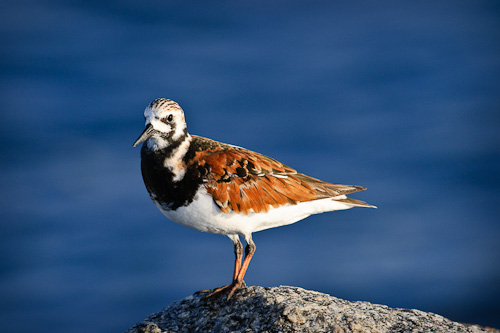
Ruddy Turnstone on a rock

There is a jetty to walk on which you can capture people habituated Ruddy Turnstones like the photograph above. There is also a long stretch of beach you can walk as well. That is where I shot the Ruddy Turnstone image below.
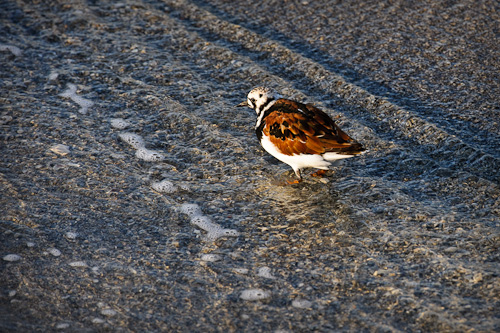
Ruddy Turnstone in Rippling Wave

In order to prepare for this trip, I looked at some past images from the park to figure out how I could improve on the images I already had in my files. As a result I came away with 2 goals for this trip. 1) Take images with cleaner backgrounds. As you can see in the first image, I went to great lengths to ensure that I captured as much of the inlet behind the bird as possible, limiting anything that would be a distraction to my subject. 2) Find some emotion and pull some heart strings with the images I took.

I think I was successful with goal number 1. The images I came away with on this trip were much better than those of the past. This is good, it means as a photographer I am improving my skills and craft. An essential trait to any business. On the second goal I was less successful. I tried to pull emotion by photographing many, and I mean many, of the Ruddy Turnstones I saw limping around the beach. Why were they limping? Their feet were tied with fishing line, an unfortunate consequence of foraging near fishermen. However I did not pull off telling that story the way I wanted. I also snapped a few pictures of an Osprey flying overhead with a fish in its talons but did not have the right light in order to bring true emotion to that image.

The closest I came to pulling emotion was this photograph of a least tern preparing to drop into the water at sunrise. At least it stirred emotion in me!
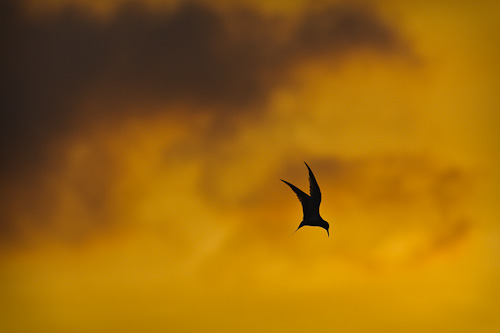
Least Tern Preparing to dive into the water

You Don’t Need Money to Take Great Pictures

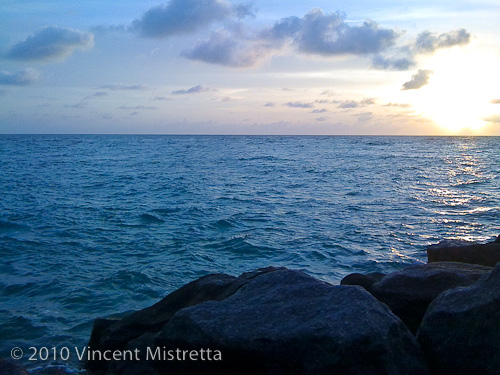
People often tell me they wish they could take pictures like me. Surprisingly, I feel the same way when I see pictures from the likes of Moose Peterson, Scott Bourne, Jay Maisel or Art Morris. Take this picture for example.

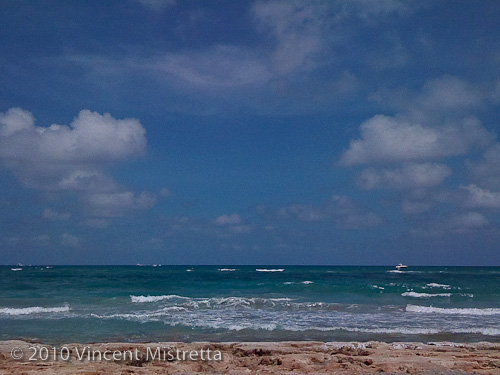
Jupiter Beach

This image was taken with my iPhone and minimally touched in Ligthroom 2.
How about this one?

Jupiter Inlet Sunrise

This image was also taken with my iPhone when I was waiting for the sun to rise at Jupiter Inlet, one of my favorite bird photography locations. (I will have some bird photographs on the blog shortly).

So you see, you dont need to spend a lot of money to take great pictures. You need patience, perseverance and practice but not expensive equipment!

Has Lightroom slowed you down recently?

Some people have asked why Lightroom 2 seems to have slowed down so much after the recent software update. The answer is pretty simple. Adobe has improved their algorithms for Lightroom 3 (don’t ask when it will be released, I don’t know). They have now provided some of these features in LR2.

Here are the release notes from Adobe’s website:
– Camera Raw 5.7 includes an updated demosaic algorithm designed to provide compatibility with settings applied in Lightroom 3 beta 2.
– Lightroom 2.7 also includes the same updated demosaic algorithm. The updated demosaic algorithm will appear as a subtle shift in noise characteristics at default values.
– By default Camera Raw will display the image adjustments exactly as performed in the Lightroom 3 beta 2 develop module. However, at this time Camera Raw 5.7 is unable to support further adjustments to the following settings or tools:
Highlight Priority and Color Priority post-crop vignette
Enhanced Luminance and Color Noise Reduction
Grain effects
Process Version

So the speed issues pertain to the re-rendering of your already processed images. In other words, LR2 is reprocessing your raw images using Adobe’s new algorithms. If the individual rendering of your images drives you crazy, there is an easy fix!
Right before you go to bed tonight do the following:
1) Open LR2
2) Select all of your images in your library
3) From the Library pulldown (not module) select Previews
4) In previews select render 1:1 previews
Now go to sleep!
When you wake up in the morning the annoying delay when you navigated between images will be gone.